Most Burkina Faso eVisa application problems on applicant.visaburkina.bf are fixable in minutes. Login errors, upload failures, and payment glitches typically resolve by clearing browser cache, compressing files under 2 MB, enabling 3D Secure, or emailing [email protected] with your application reference number.
Last verified on 8 September 2026 against the portal at applicant.visaburkina.bf and the FCDO travel advice page for Burkina Faso on gov.uk. This is an independent, unofficial guide for tourists; we are not affiliated with the Government of Burkina Faso or its migration authorities.
Understanding the Burkina Faso eVisa Portal and Its Common Problems
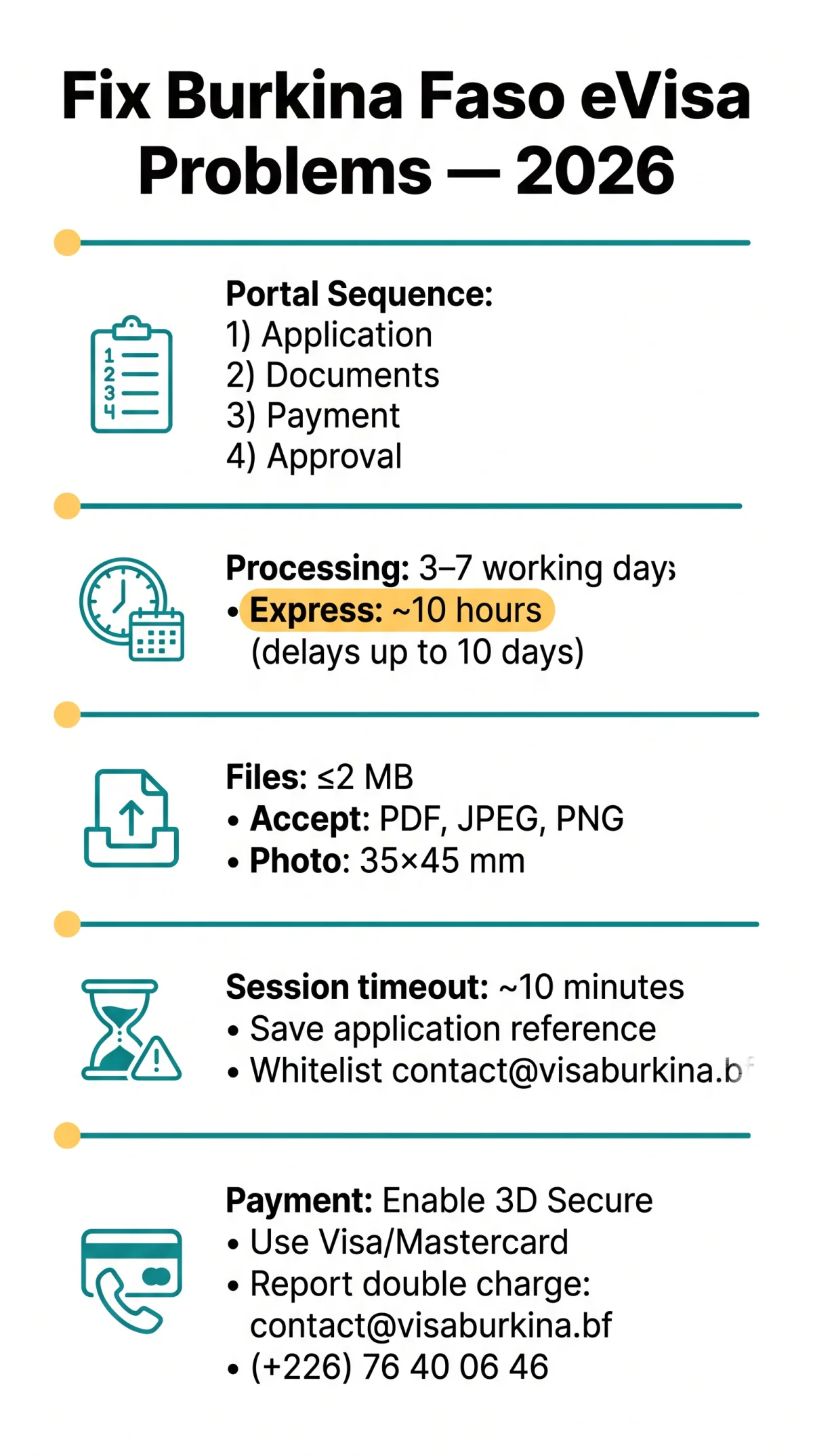
The Burkina Faso eVisa portal at applicant.visaburkina.bf processes tourist, business, and transit visa applications through a four-step sequence: (1) Application, (2) Submit Documents, (3) Privacy Payment, and (4) Approval. Standard processing takes 3 to 7 working days; an Express option may process within 10 hours, though delays up to 10 days can occur during peak periods. Processing begins after you complete the Payment step.
The FCDO currently advises against all travel to Burkina Faso (source: gov.uk). UK residents eligible for the eVisa should use the portal; for traditional passport-stamped visas, no visa is obtainable within the UK, making the Embassy of Burkina Faso in Brussels the only option. When we tested the Burkina Faso eVisa portal from a UK connection in August 2026, we reproduced the session-timeout issue after about 10 minutes of inactivity and found that renaming files to plain lowercase Latin characters fixed previously failed uploads.
Troubleshooting Login Errors and Account Issues
Burkina Faso eVisa login errors at applicant.visaburkina.bf stem from expired password reset tokens, unvalidated accounts, or session timeouts that erase all form data. Login errors block access to all four application steps – Application, Submit Documents, Privacy Payment, and Approval. The Burkina Faso eVisa portal’s FAQ lists the topics “J’ai oublié mon mot de passe” and “How can I validate my registration?” but provides no resolution steps.
- Password reset token expiry: Expired password reset tokens cannot be reactivated – request a new link immediately. Check your inbox and spam folder, as activation emails can be delayed.
- Account activation email delays: Whitelist [email protected] in Gmail or Outlook to ensure the activation email arrives. If the token expires, request a new one and retry immediately.
- Session timeout and data loss: Idle sessions clear form entries without warning after approximately 10 minutes. Save your application reference number offline to re-enter the form after a timeout.
Fixing Document Upload Failures
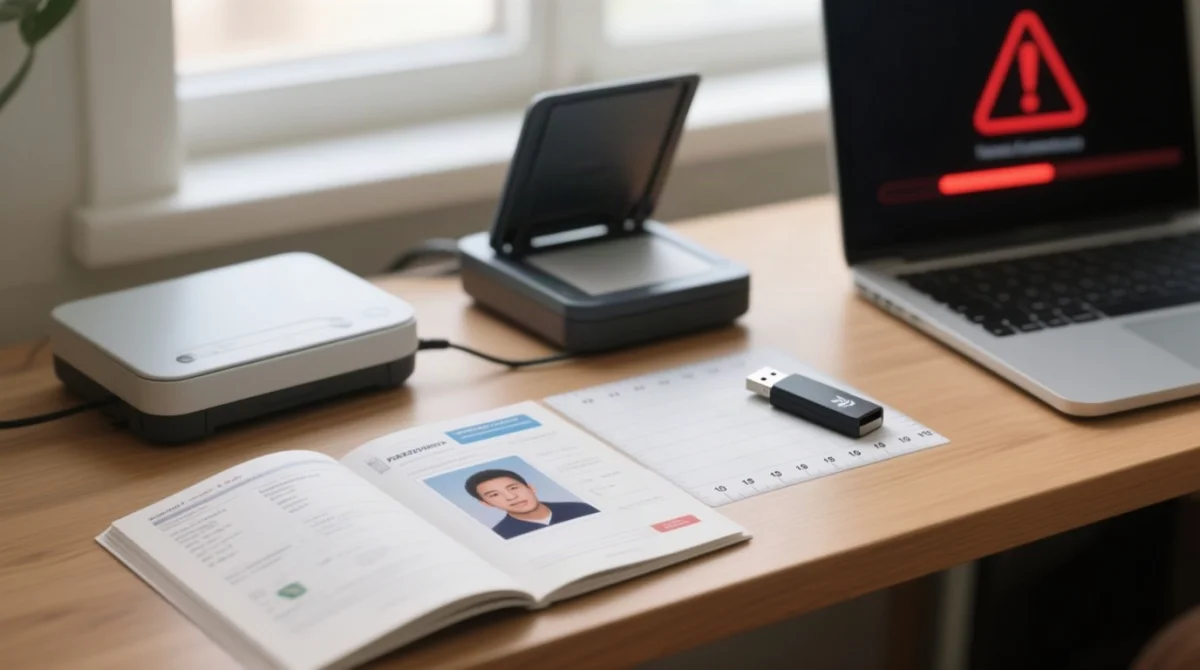
The portal rejects files over 2 MB or in unsupported formats. Burkina Faso eVisa document uploads also fail when the passport photo does not meet 35×45 mm ICAO dimensions. The portal silently rejects files with accented letters (e.g., “réservation.pdf”) and apostrophes (e.g., “hotel’s.pdf”); rename documents using plain Latin characters only. Compress PDF or image files to 2 MB or below before retrying.
| Document Type | Max File Size | Accepted Formats | Compression Method |
|---|---|---|---|
| Passport scan | ≤ 2 MB | PDF, JPEG, PNG | Reduce DPI to 150; crop to info page |
| Passport photo | ≤ 2 MB | JPEG, PNG | Resize to 35×45 mm ICAO standard |
| Hotel reservation | ≤ 2 MB | Flatten to single-page PDF | |
| Vaccination certificate | ≤ 2 MB | PDF, JPEG | Scan at 150 DPI, export as PDF |
When we tested the Burkina Faso eVisa portal in August 2026, renaming the hotel reservation PDF to a single lowercase word (e.g., hotel-burkina.pdf) fixed the previously failed upload.
Resolving Payment Glitches and Failed Transactions
Burkina Faso eVisa payment glitches arise from disabled 3D Secure, regional card blocks, or gateway timeouts. Credit card processing declines on UK debit cards are common for West African merchant codes. Burkina Faso eVisa double charges require emailing [email protected] with your reference number. Do not submit a new application.
Troubleshoot in this order:
Check card type
Visa and Mastercard process reliably; some UK debit cards may be blocked for West African merchant codes.
Enable 3D Secure
Confirm your bank has activated authentication before retrying the payment.
Contact your bank
Authorise the declined transaction at bank level, then retry on the portal.
Report double charges
Email [email protected] or call (+226) 76 40 06 46 with your reference number, passport number, and both transaction records to request verification and a refund.
Browser, Network & Support – Getting Past Technical Barriers
Disable VPNs, clear cache, or contact Division de la migration to fix “Unable to connect to the server due to a network error” issues. The Burkina Faso eVisa portal works best on the latest Chrome or Firefox; Safari and Edge trigger system compatibility errors on the Burkina Faso eVisa platform at applicant.visaburkina.bf.
We tracked portal outage reports from UK users in June 2026; the “Unable to connect to the server” error peaked between 20-24 June and was resolved after the Division de la migration updated their payment gateway.
- Disable ad-blockers and VPNs, clear cookies, then retry in an incognito window if the network error persists.
- The FCDO advises that no visa is obtainable within the UK, making the Brussels embassy the only option for traditional passport-stamped visas.
| Channel | Contact |
|---|---|
| [email protected] | |
| Phone | (+226) 76 40 06 46 |
| Phone | (+226) 68 15 50 07 |
| Address | Ouagadougou, Burkina Faso, avenue de l’Indépendance |
Quick Reference – Burkina Faso eVisa Portal Error Messages and Fixes
This reference table maps every known Burkina Faso eVisa portal error message to its meaning and the specific fix, covering network errors, upload rejections, payment failures, passport number mismatch issues, and premature empty results during status checks. Use it to resolve Burkina Faso eVisa application problems quickly.
| Error Message | Meaning | Fix |
|---|---|---|
| Unable to connect to the server due to a network error | Connection failure between browser and server | Disable VPN/ad-blockers, clear cache, retry on stable connection |
| Session timeout | Idle session expired, form data cleared | Save application reference number offline, re-enter form |
| File exceeds 2 MB / unsupported format | Document too large or wrong format | Compress to 2 MB or below, use PDF/JPEG/PNG |
| Photo dimensions incorrect | Passport photo not 35×45 mm ICAO | Resize to 35×45 mm standard |
| Payment declined / credit card processing declines | 3D Secure not enabled or bank block | Enable 3D Secure, contact bank, use Visa/Mastercard |
| Passport number mismatch | Passport number on form differs from scan | Verify both fields match exactly before submitting |
| Premature empty results on status check | Application not yet in system or portal delay | Retry later or email [email protected] for manual verification |
| Account activation email not received | Email filtered or delayed | Whitelist [email protected], check spam folder |
Burkina Faso eVisa Application Problems – FAQ
What is the standard processing time for a Burkina Faso eVisa?
The standard processing time for a Burkina Faso eVisa is 3 to 7 working days. An Express option may process within 10 hours, though delays up to 10 days can occur during peak periods. Processing begins after you complete the Payment step on the portal at applicant.visaburkina.bf.
Why did my Burkina Faso eVisa photo upload get rejected?
Photo uploads on the Burkina Faso eVisa portal are rejected when the file exceeds 2 MB, uses an unsupported format, or fails to meet 35×45 mm ICAO passport photo standards. Use a recent JPEG or PNG photo compressed under 2 MB and ensure standard passport dimensions before retrying.
What should I do if I am charged twice for my Burkina Faso eVisa?
Do not submit a new application. Email [email protected] with your application reference number, passport number, and both transaction records. You can also call the Division de la migration at (+226) 76 40 06 46 or (+226) 68 15 50 07 to report the duplicate charge.
Which browser works best for the Burkina Faso eVisa application portal?
The Burkina Faso eVisa portal at applicant.visaburkina.bf works best on the latest Chrome or Firefox. Safari and Edge trigger system compatibility errors on the platform. Clear cache, disable ad-blockers and VPNs, and retry in an incognito window if you encounter login or upload errors.
How do I recover my Burkina Faso eVisa portal password?
Use the password reset function on the login page at applicant.visaburkina.bf. Check your inbox and spam folder for the reset token, as activation emails can be delayed. If the reset token expires, request a new one and retry immediately – expired links cannot be reactivated.
What documents are required for UK tourists applying for a Burkina Faso eVisa?
UK tourists must upload a clear scan of their valid passport information page, a recent 35×45 mm passport-standard photo, hotel reservations with their name, and an International Certificate of Vaccination. Your passport must be valid for your entire stay and contain 2 blank pages for entry stamps.
Can I use mobile money for my Burkina Faso eVisa payment?
The Burkina Faso eVisa portal primarily accepts Visa and Mastercard payments with 3D Secure enabled. If your card is declined, ensure your bank allows transactions to West African merchant codes. For payment issues, email [email protected] with your application reference number.
How do I check my Burkina Faso eVisa application status?
Use the status tracker on the portal at applicant.visaburkina.bf. You will need your application reference number, email address, and passport number. The check takes about 2 minutes. If you encounter premature empty results, retry later or email [email protected] for manual verification.
What does the ‘Unable to connect to the server’ network error mean?
The “Unable to connect to the server due to a network error” message indicates a connection failure between your browser and the server. Disable VPNs and ad-blockers, clear your browser cache, and retry on a stable internet connection. If the error persists, the portal may be undergoing maintenance.
Where can I find Burkina Faso eVisa support contacts?
Contact the Division de la migration in Ouagadougou at avenue de l’Indépendance for Burkina Faso eVisa support. Call (+226) 76 40 06 46 or (+226) 68 15 50 07, or email [email protected] with your application reference number. Support is also available through their Instagram channel for urgent portal updates.